
Your CMDB feeds into everything from lifecycle management to incident response to automation—all the places you really don’t want to be wrong.

Most CMDBs are wrong about 20-40% of the network. IP Fabric’s ServiceNow integration exposes any gaps between your actual network and the data stored in your CMDB, so that every tool and workflow is contextualized by the most accurate and up-to-date understanding of network behavior.


Map every device, interface, adapter, and L1–L3 link in your network to the correct CMDB CI (configuration item) classes using standard ServiceNow transformation rules.
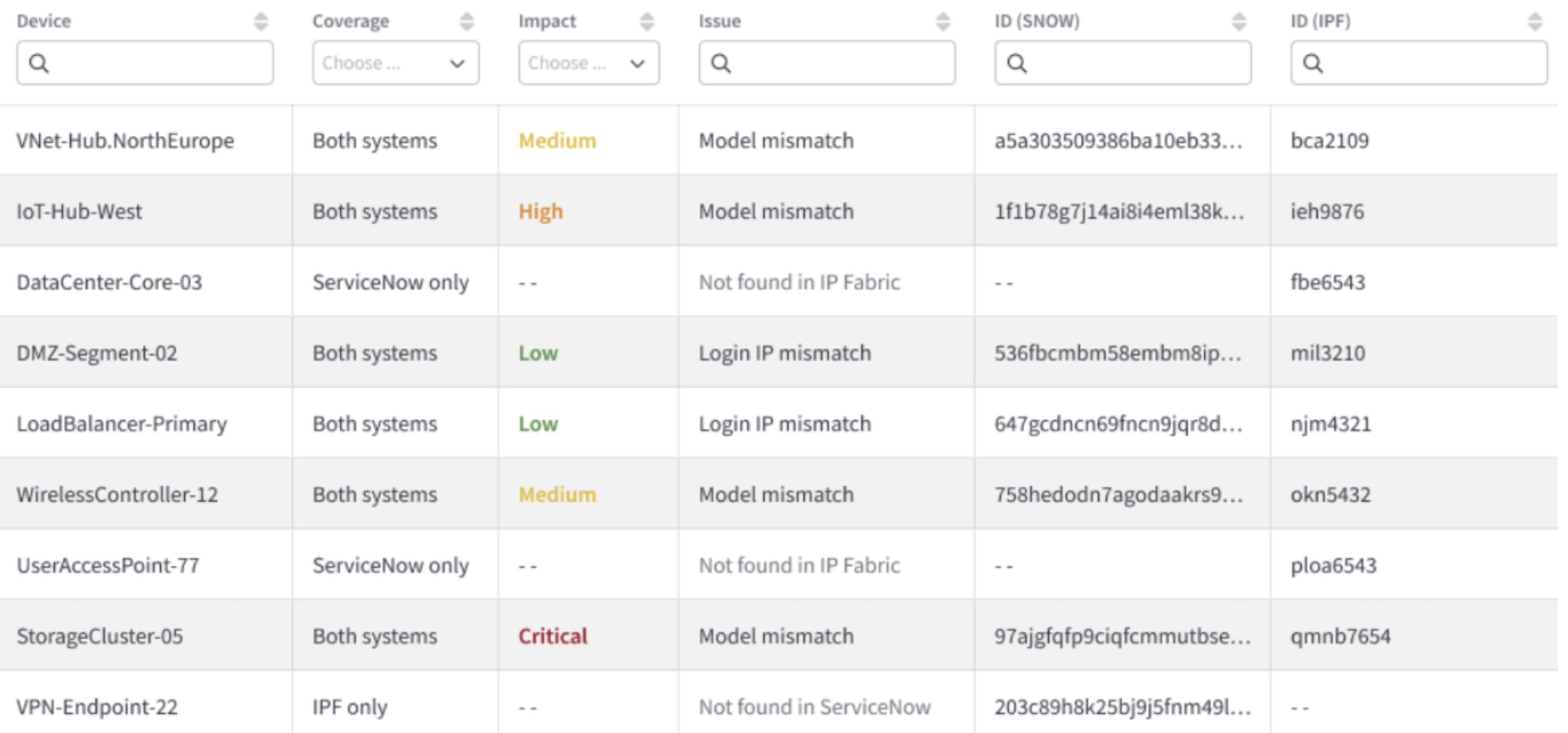
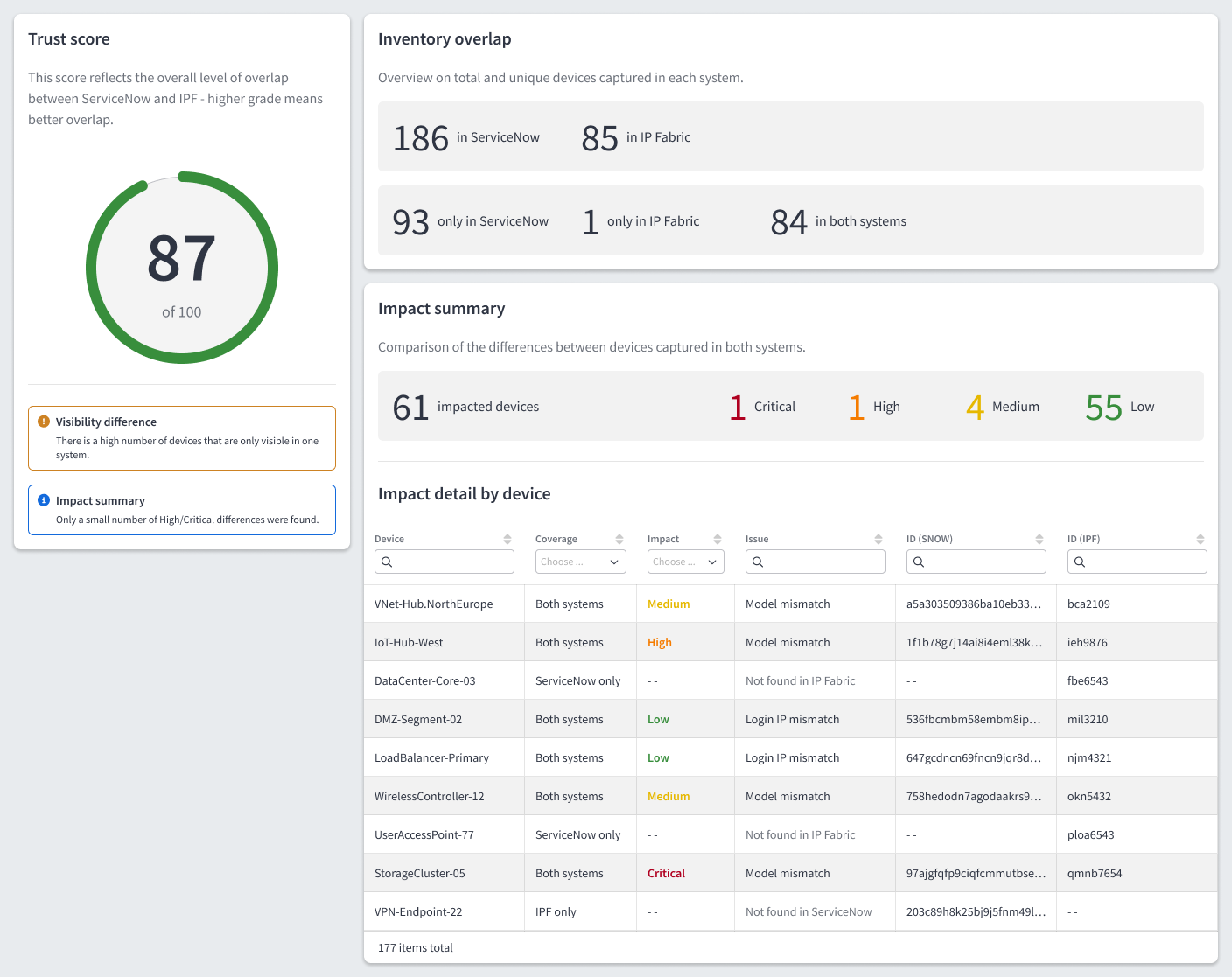
Automatically count every device in IP Fabric and ServiceNow, and surface any discrepancies like:
Devices that appear only in IP Fabric.
Devices that appear only in ServiceNow.
Devices that appear in both IP Fabric and ServiceNow, but that have differences between them.
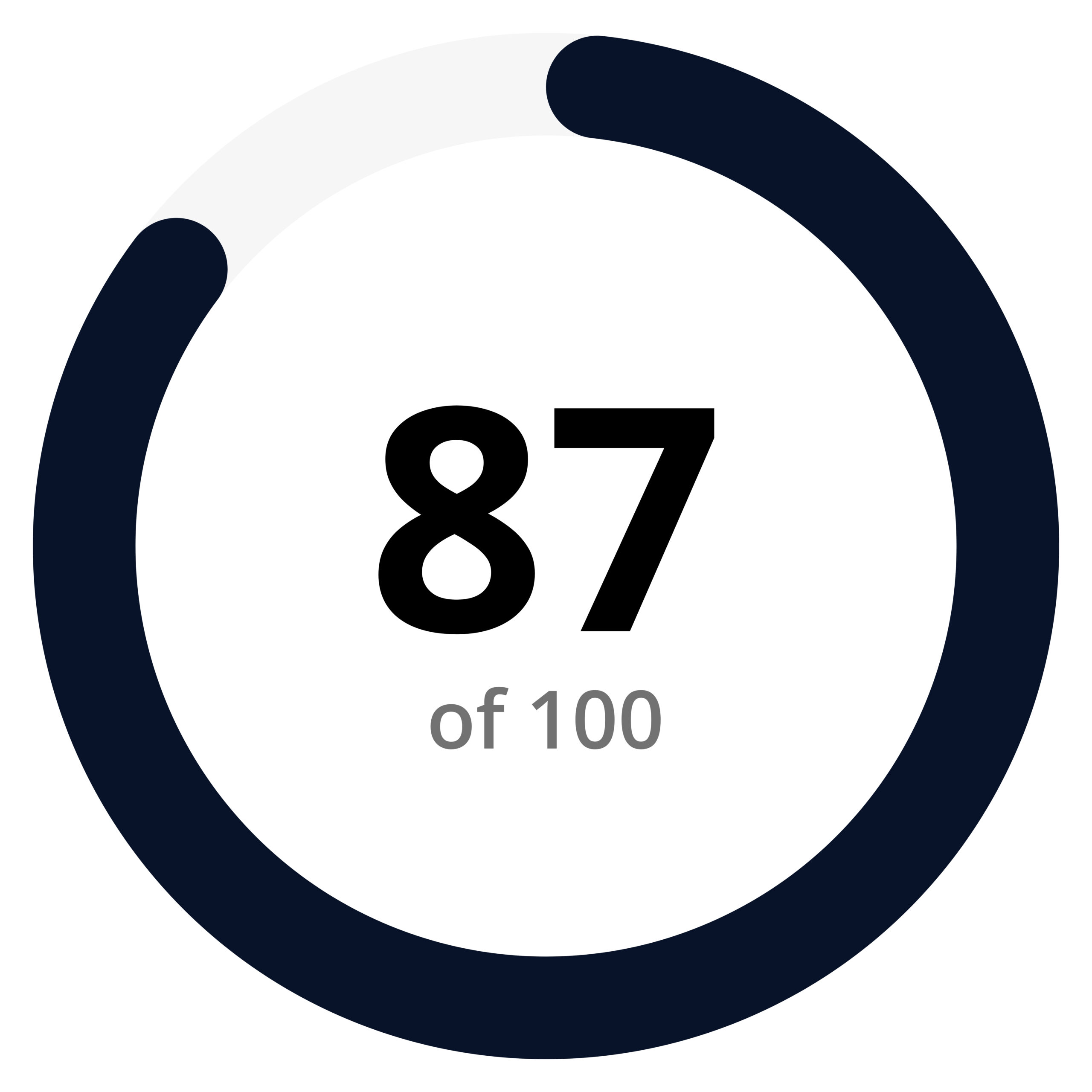
From there, IP Fabric calculates an overall trust score, which reflects the overlap between your CMDB and your actual network. The higher the score, the higher the confidence in your CMDB.
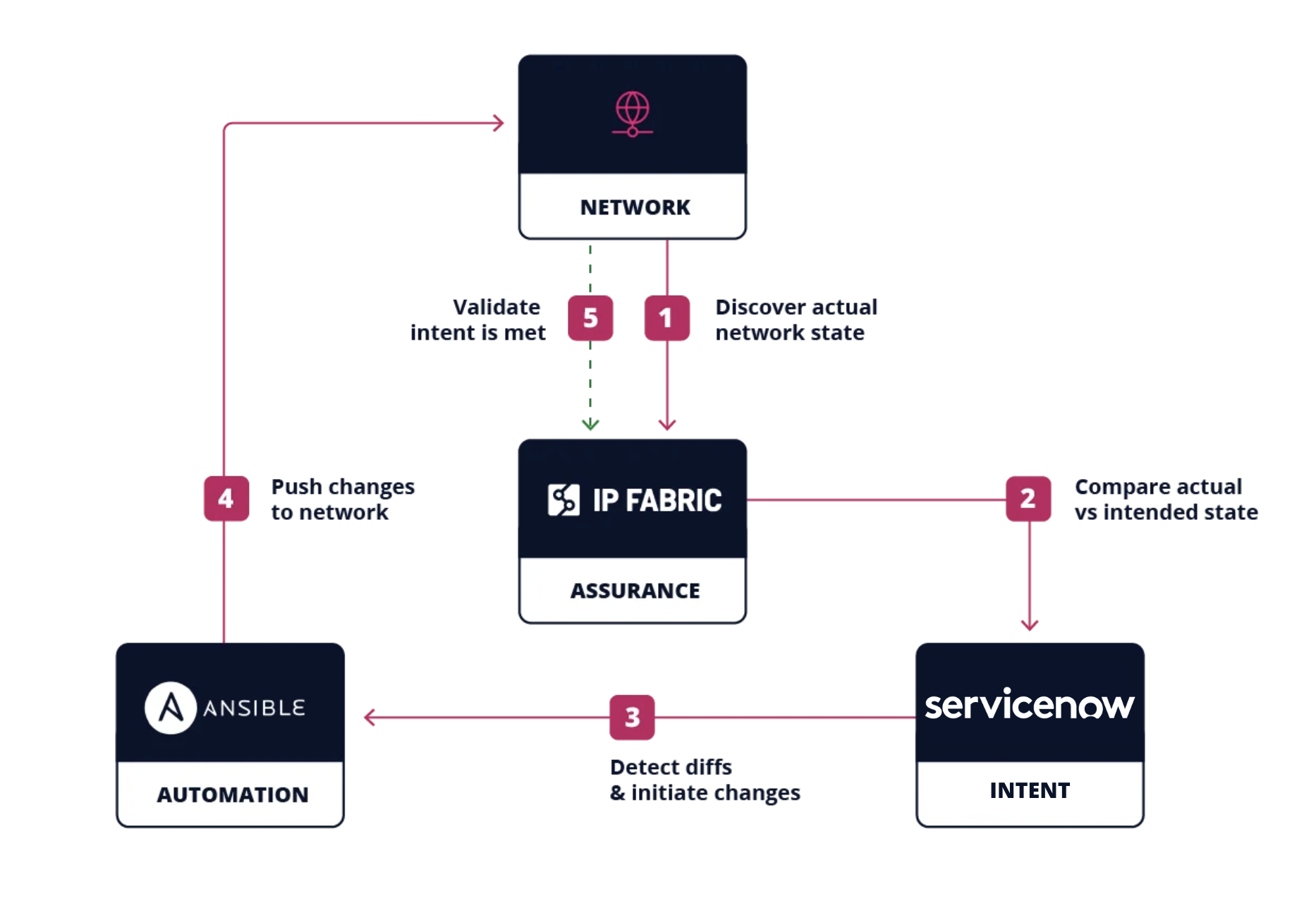
If remediation is necessary, IP Fabric automatically initiates the change management process via Ansible, ServiceNow ITSM, or any other preferred tools in your stack. Once changes are made, IP Fabric validates them against your actual network state and behavior.


ServiceNow uses SNMP (Simple Network Management Protocol) data and CDP (Cisco Discovery Protocol) to gather the data that each device reports about itself. However, this approach has a two key limitations:
It doesn’t reliably map L2–L3 topologies.
It only discovers certain vendors.
With these limitations, it’s not uncommon to see CMDBs that are wrong about 20-40% of the network.
However, IP Fabric takes a different approach that fills the gaps in ServiceNow’s discovery. It reads device data via API and CLI (Command Line Interface), and then hops from device to device until 100% of your network is found. The end result is an interactive, vendor-neutral model of L1–L3 topologies, which represent your actual network behavior across vendors, from core to cloud to edge. This model can be used to validate your ServiceNow CMDB, and to surface any places where your CMDB drifts from network reality.
Three categories of data flow from IP Fabric into ServiceNow, including:
Every on-prem and cloud device, all of which become a CI in the appropriate CMDB CI class.
Interfaces & adapters like port configurations, IP addresses, and adapter data, which are linked to their parent device CI.
L1–L3 links between devices, so that you can get a end-to-end understanding of your network state and behavior.
Imports run on a dependency chain with devices first, followed by interfaces and adapters, and then L1–L3 links. This ensures that all records land in the right order.
You can deploy IP Fabric’s ServiceNow integration in five steps:
Download the integration via the ServiceNow marketplace, then enter your IP Fabric URL and API token.
Connect directly or through a MID (Management, Instrumentation, and Discovery) server.
Run a manual import first to confirm that devices, adapters, and L1–L3 links are populating the CMDB as expected.
Turn on the scheduled import. It’s set to midnight by default, but can be adjusted to fit your ideal schedule and cadence.
Visit the reconciliation dashboard to review your device counts, discrepancy breakdown, and trust score.